Your Recovery Point Objective (RPO) is your company's 'rewind button' for data. It defines the maximum acceptable amount of data loss your business can stomach after a major incident. It all comes down to one critical, painful question: how much recently created data can you afford to lose before it seriously hurts your operations, damages customer trust, or puts you in a compliance nightmare?
For an SMB or startup, a poorly defined RPO isn't a small technical oversight—it's a business risk that can cost you major deals and leave you vulnerable during audits for frameworks like SOC 2 or ISO 27001.
What Is a Recovery Point Objective in Simple Terms

Think of your business as a train chugging along, constantly generating new data—transaction records, customer updates, internal logs. An RPO determines how far back that train needs to reverse to get back on the rails after a disruption. It’s a metric measured in time—seconds, minutes, or hours—that looks backwards from the moment a disaster hits.
For instance, an RPO of one hour means your backup strategy must guarantee you never lose more than 60 minutes of data. This directly dictates how often you need to back up or replicate your information. As a cornerstone of disaster recovery, getting your RPO right is fundamental to effective business continuity planning.
But this isn't just a technical setting you configure and forget. It's a core business decision with very real financial consequences. A lower RPO (meaning less data loss) almost always demands more frequent backups and more sophisticated technology, which naturally costs more. On the flip side, a higher RPO is cheaper to maintain but comes with a much bigger risk if things go wrong.
RPO and Its Relationship with RTO
It’s incredibly common for people to mix up the Recovery Point Objective with its close cousin, the Recovery Time Objective (RTO). They are often mentioned together, but they measure two completely different things. Getting this distinction right is absolutely crucial, especially when you're facing a security audit or filling out a security questionnaire for frameworks like SOC 2, ISO 27001, NIS 2, or DORA.
RPO measures data loss tolerance (how much data can we lose?), while RTO measures downtime tolerance (how quickly must we get back up and running?). Together, they form the twin pillars of any credible disaster recovery plan.
Here's a simple way to remember it: RPO is about the "point" in time you can recover to. RTO is about the "time" it takes to get there. One deals with the quality and freshness of your data post-recovery, while the other is all about the speed of restoring your services. Nailing this distinction is key to aligning your technical capabilities with business expectations and showing auditors or big clients that you run a mature, resilient operation.
To make it even clearer, let's look at them side-by-side.
RPO vs RTO A Quick Comparison
The table below breaks down the fundamental difference between data loss tolerance (RPO) and downtime tolerance (RTO), helping you see exactly what each metric is designed to address.
| Metric | What It Measures | Business Question It Answers | Example |
|---|---|---|---|
| RPO (Recovery Point Objective) | Maximum acceptable data loss (measured in time) | How much data can we afford to lose? | An RPO of 1 hour means we can tolerate losing up to 60 minutes of data. |
| RTO (Recovery Time Objective) | Maximum acceptable downtime (measured in time) | How quickly must we be back online? | An RTO of 4 hours means critical systems must be restored within 4 hours. |
As you can see, one focuses on the data itself, and the other focuses on the systems that use that data. Both are vital, but they solve different problems.
Why a Clear RPO Is Your Secret Weapon in Sales and Audits
Think of your Recovery Point Objective (RPO) as more than just a technical setting on your backup system. It's a strategic business decision, one that has a very real impact on your bottom line. For an SMB, a fuzzy or undefined RPO isn't a minor IT oversight; it's a serious business risk that can lead to catastrophic data loss, shatter customer trust, and derail compliance audits. When it comes to winning enterprise deals, ambiguity is the enemy.
This is especially true for small and medium-sized businesses trying to win deals with larger enterprises. Your RPO is often a crucial checkpoint during their vendor evaluation. It’s not just about disaster recovery—it’s a direct reflection of your company's maturity and reliability as a partner. When a potential enterprise client sends you their security questionnaire, what they’re really doing is assessing risk. A clear, well-documented, and tested RPO tells them you take their data seriously.
This one metric can be the deciding factor between a deal that stalls for months and one that closes quickly. It proves you have a solid plan to protect their data, building the kind of trust that can dramatically speed up the sales process.
Answering Security Questionnaires with Confidence
Security questionnaires are the gatekeepers to landing those high-value enterprise contracts. You’ll get hit with direct questions like, "What is the RPO for your production environment?" or "Describe your data backup and restoration procedures." A weak answer like "we do regular backups" is an immediate red flag that screams "immature security program."
They aren't looking for vague assurances; they need specifics and evidence. A strong response gets straight to the point:
- Production Database RPO: Our RPO for the primary customer database is 15 minutes. We achieve this using continuous asynchronous replication to a secondary failover site.
- Application Server RPO: For our application servers, the RPO is 4 hours, which is supported by hourly snapshots stored in a geographically separate region.
- Testing Cadence: We test our entire disaster recovery plan, including our RPO and RTO targets, every quarter. The last successful test was completed on [Date].
Having these details ready and documented shows that your organisation is professional and prepared. It stops the sales cycle from grinding to a halt while your engineers scramble to pull the information together, preventing a major pain point for your technical team.
Meeting Stringent Compliance Mandates
Beyond the sales pitch, your RPO is a cornerstone of your compliance efforts. Major regulations and frameworks don't just suggest data protection—they require it. A well-defined RPO is your proof that you’re meeting those obligations.
An RPO is not just an internal goal; it's a defensible position. During an audit, you must be able to justify why your RPO is appropriate for the data you process and the services you provide.
Let's break down how RPO fits into specific compliance mandates crucial for SMBs:
- GDPR: Article 32 demands that organisations have technical measures in place to ensure "the ability to restore the availability and access to personal data in a timely manner in the event of a physical or technical incident." Your RPO directly quantifies that capability.
- DORA & NIS 2: These European regulations put a massive emphasis on operational resilience for financial firms and critical infrastructure. They mandate that firms have tested backup and recovery procedures, which makes a documented RPO absolutely essential to avoid penalties.
- ISO 27001 & SOC 2: Both of these globally recognised frameworks require comprehensive business continuity and disaster recovery planning. Auditors will specifically ask for evidence of your defined recovery objectives. For anyone going through these audits, understanding how RPO underpins your security posture is key. You can learn more by exploring what a SOC 2 certification entails and how it validates your controls.
When you start treating your RPO as a strategic asset, it stops being a technical chore. It becomes a powerful tool that helps you win business and prove your resilience.
How to Calculate an RPO That Fits Your Business
Figuring out your company’s Recovery Point Objective (RPO) should never be a shot in the dark. It’s a strategic decision that pits risk against cost, and getting it wrong can be incredibly damaging. The entire process hinges on a crucial exercise known as a Business Impact Analysis (BIA), which helps you pinpoint your most critical operations and what it would actually mean if they were disrupted.
A BIA forces you to get specific. If our customer database vanishes, how many sales do we lose every hour? What's the real financial hit? How does losing even an hour of data tarnish our reputation or put us in breach of our customer SLAs? The answers to these questions are what turn RPO from a technical acronym into a number that drives business decisions.
Start With a Business Impact Analysis
At its core, a BIA is about mapping your business processes to the technology that powers them. This allows you to sort your data and applications into tiers based on how important they are. The goal is simple: avoid overspending to protect a system that doesn't matter much while ensuring your most valuable digital assets are bulletproof. This isn't just an IT job; it's a company-wide effort.
The process boils down to a few key, actionable steps:
- Identify Critical Business Functions: Get in a room with department heads—from sales, finance, operations, you name it—and list the absolute must-have processes that keep the lights on. This could be anything from processing orders to running payroll.
- Map Functions to IT Systems: Now, connect the dots. Link each of those business functions to the specific apps, databases, and infrastructure they depend on. Your e-commerce platform? Mission-critical. Your internal marketing blog? Not so much.
- Quantify the Impact of Data Loss: This is where the RPO calculation truly happens. For each critical system, work out the tangible and intangible costs of losing data over different windows—say, 15 minutes, 1 hour, 4 hours, and 24 hours.
To get this right, you can learn more about how to build a Business Impact Analysis for your company and use that framework to get started. A structured approach ensures everyone's voice is heard and the final RPO targets are grounded in shared business priorities, not just what the tech team thinks is important.
Key Takeaway: RPO isn't a one-size-fits-all number for your whole company. Different systems have different levels of importance and, as a result, need different RPOs. Your customer-facing SaaS platform might demand an RPO of mere minutes, while an internal development server could probably live with one that’s 24 hours.
This infographic neatly shows how a well-defined RPO becomes a genuine strategic asset.
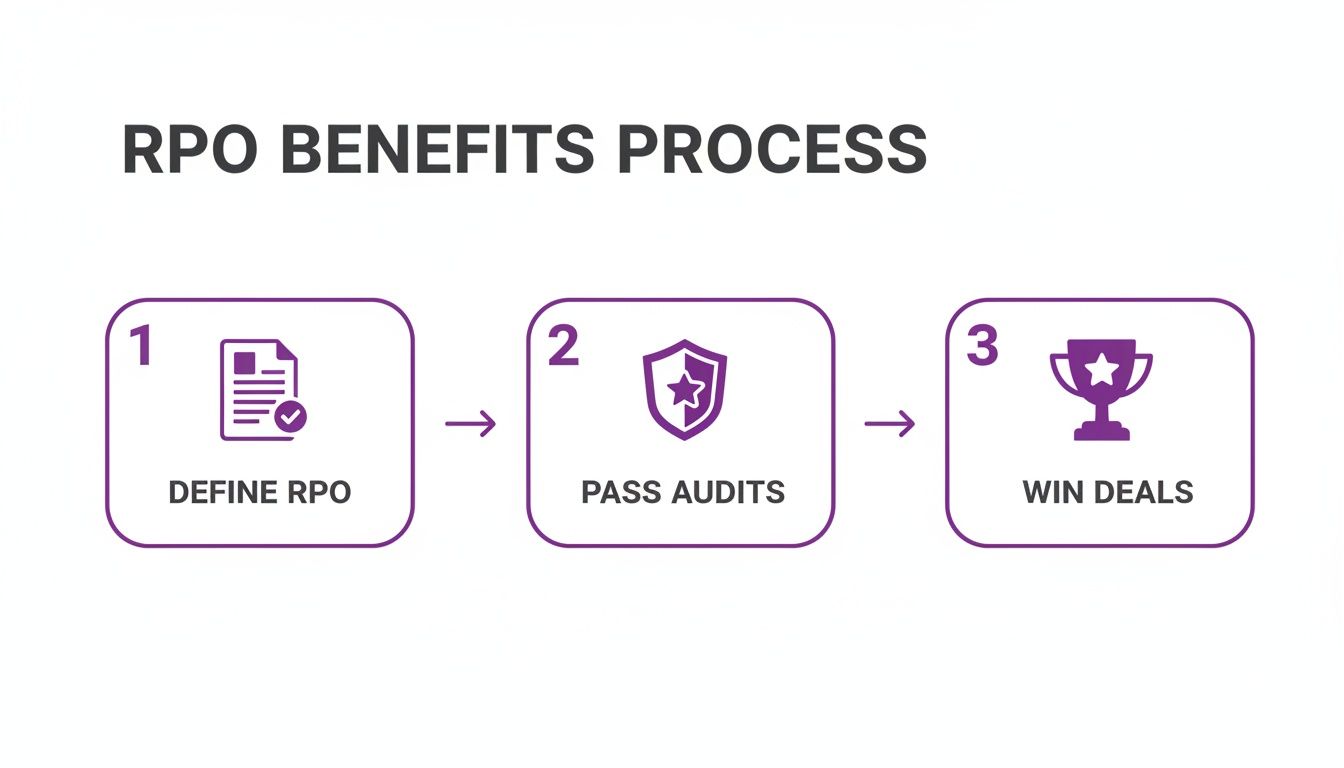
It’s a clear path from defining your RPO to hitting major business goals, like sailing through audits and closing bigger deals.
Bringing Stakeholders to the Table
Setting an RPO is a team sport. Your tech leaders can lay out the costs and technical hurdles of different backup strategies, but only the business leaders can truly define what "acceptable data loss" means in practice. A CTO might look at a 15-minute RPO and see a technical nightmare, but the Head of Sales who knows exactly how much revenue is lost per minute will see it as a baseline requirement.
Make sure your RPO planning session includes people from:
- Executive Leadership: They need to sign off on the budget and formally accept the level of business risk.
- Sales and Customer Success: They bring the voice of the customer, including insights on expectations and contractual SLAs.
- Finance: They can put a hard number on the financial fallout from data loss, from lost sales to potential regulatory fines.
- IT and Engineering: They’re there to explain what’s technically possible and what it will cost to hit different RPO targets.
Once you’ve landed on RPOs that fit your business, the next step is to formalise them in your comprehensive Business Continuity / Disaster Recovery Plan Guide. This document isn't just for internal use; it becomes a vital piece of evidence for compliance audits and a massive help when answering security questionnaires. It proves your recovery plans are deliberate, justified, and perfectly aligned with the realities of your business.
Matching Your RPO to Real-World Technical Solutions
A Recovery Point Objective is a powerful business metric, but it’s just a number on paper until you back it up with the right technology. This is where the theory hits the road—translating your RPO targets from a business impact analysis into a functioning technical architecture is how a resilience strategy truly comes to life. It’s the point where business needs become an engineer’s blueprint.
For any SMB or startup, the real challenge is striking a smart balance between the level of protection, the cost, and the complexity. A near-zero RPO sounds like the gold standard, but the financial and operational overhead can be staggering, and frankly, it's often overkill for most systems. The trick is to align the right solution with the right RPO, ensuring you protect what truly matters without overspending on assets that can handle a bit more data loss.
This all comes down to mapping your different RPO tiers—whether it's 24 hours or just a few seconds—to specific data protection strategies. Each approach has its own set of trade-offs, making it a critical decision for any CTO or engineering lead.
Solutions for Higher RPO Targets (Hours to Days)
Let's start with the easy stuff. For systems where losing a day's worth of data is acceptable—think development servers or internal documentation platforms—the solutions are straightforward and very cost-effective. A 24-hour RPO is usually the simplest and cheapest to implement, which is why it's a go-to for non-critical assets.
The workhorse technology here is periodic backups. These are simply scheduled, automated snapshots of your data taken at regular intervals. Most cloud providers have excellent built-in tools for this.
- Cloud-Native Snapshots: Services like AWS Snapshots for EBS volumes or Azure Backup give you a simple, reliable way to create daily backups of your servers and storage. They are essentially "set and forget" solutions that provide a solid foundation of protection.
- Volume Backups: Much like snapshots, these involve taking full copies of a storage volume daily or weekly and stashing them in a separate, secure location.
These methods are a perfect fit for Tier 3 systems where data doesn't change too rapidly and the business impact of loss is minimal. You get essential protection without breaking the bank.
Architectures for Tighter RPOs (Minutes to Hours)
When you start talking about important business systems like your CRM or key internal tools, a 24-hour data loss window just won't cut it. For an RPO that sits somewhere between one and four hours, you need more frequent methods of capturing data that don’t bring your performance to a crawl.
This is where more advanced, yet still manageable, technologies enter the picture. They capture changes far more frequently, dramatically shrinking the window of potential data loss if something goes wrong.
Key Insight: Moving from a 24-hour RPO to a 1-hour RPO is a big step up in operational maturity. It sends a clear signal to auditors and enterprise clients that you have robust controls in place for important, but not quite mission-critical, systems.
A couple of common solutions for this tier include:
- Frequent Snapshots: Instead of running backups once a day, you simply configure them to run every hour. This is easily done with most cloud platforms and backup software and strikes a great balance between protection and cost.
- Log Shipping: This is a classic database technique. It works by continuously copying transaction logs—which are records of every single change made—from your primary database to a secondary server. In a disaster, you can restore the last full backup and then "replay" these logs to recover the database to a point very close to the failure.
Achieving Near-Zero RPO for Critical Systems
Now for the crown jewels: your most critical applications. This is the customer-facing database or the e-commerce transaction engine where any data loss could be catastrophic. These Tier 1 systems demand a near-zero RPO, which is typically measured in seconds, not hours.
Getting this right requires more complex and costly architectures that are built around the idea of continuous data protection. The main technology used here is data replication. Instead of taking periodic snapshots, replication technologies copy data from one place to another in almost real-time.
- Asynchronous Replication: The primary system writes the data and then sends a copy over to the secondary system. There’s a tiny lag—we're talking milliseconds to a few seconds—but it has minimal impact on your application's performance. This is the most common way to achieve a near-zero RPO for production databases, like using read replicas in AWS RDS or Azure SQL.
- Synchronous Replication: In this setup, data is written to both the primary and secondary locations at the same time. The transaction isn't confirmed until both writes succeed. This guarantees absolutely zero data loss, but it can introduce latency that slows your application down. It's usually reserved for the most extreme cases, like financial trading systems.
To make this all a bit clearer, the table below summarises how these technologies map to different RPO targets, giving you a practical roadmap for implementation.
RPO Targets and Corresponding Technologies
This table breaks down common RPO targets, the technologies used to achieve them, typical use cases, and what it all means for an SMB's budget and technical overhead.
| RPO Target (Max Data Loss) | Enabling Technology | Typical Use Case | Relative Cost & Complexity |
|---|---|---|---|
| 24 Hours | Daily Backups (e.g., AWS Snapshots, Volume Backups) | Development environments, internal wikis, non-critical systems | Low |
| 1 to 4 Hours | Frequent Snapshots, Log Shipping | Business intelligence systems, CRM platforms, important internal tools | Medium |
| Under 15 Minutes | Asynchronous Replication (e.g., Database Read Replicas) | Primary production databases, e-commerce platforms | High |
| Near-Zero (Seconds) | Synchronous Replication, Continuous Data Protection (CDP) | Financial transaction systems, critical infrastructure services | Very High |
By thoughtfully matching the right technology to each RPO tier, you can build a disaster recovery strategy that is both resilient and cost-effective, protecting your business exactly where it counts the most.
Using Your RPO to Close Deals and Pass Audits
Nailing down your Recovery Point Objective (RPO) is a big win for your tech team, but its real power is unlocked when you start talking about it. For a growing business, a well-documented RPO isn't just a defensive play; it’s a proactive tool that helps you sail through security questionnaires and satisfy compliance auditors. It turns a technical number into solid proof of your reliability.
Think of your RPO as your company’s resilience certificate. When a big enterprise prospect sends over their vendor security questionnaire, they’re really just trying to figure out how risky you are. A vague answer about data recovery is a massive red flag. On the other hand, a confident, specific response backed by documentation shows them you’re a serious partner who can be trusted with their data.
This simple shift in communication turns a potential deal-breaker into a genuine competitive edge. You're no longer just selling a service; you're selling the peace of mind that comes with business continuity.
Turning RPO Documentation into a Sales Asset
Your Disaster Recovery (DR) plan, where your RPO is formalised, should be treated like any other piece of high-value sales collateral. It's the hard evidence that backs up all your promises about security and uptime. When you can give clear answers to tough questions on the spot, you don't just shorten the sales cycle—you also free up your engineering team from getting pulled into endless sales calls.
The aim is to get ahead of the friction. Enterprise prospects will ask direct questions, such as:
- "What is your documented RPO for the systems that will handle our data?"
- "How do you test your ability to actually meet that RPO?"
- "Can you show us the results from your last disaster recovery test?"
Having these answers ready to go lets your sales team respond with authority and speed, keeping the deal moving forward.
Your RPO isn't just an IT statistic. It's a clear statement about your commitment to protecting customer data. When you communicate it well, you show prospects that you've mastered the fundamentals and are focused on operational excellence—a huge differentiator in a crowded market.
Speeding Up Security Questionnaires with Automation
Answering hundreds of security questions manually for every new prospect is a huge time sink, especially for lean SMB teams. This is a massive pain point. Every hour a developer spends digging up RPO details is an hour they're not building your product. This is exactly the kind of bottleneck that modern compliance platforms are designed to fix.
Tools like the Smart Library from Compli.st are built to eliminate this repetitive work. You feed it your official policies, like your DR plan, and it becomes a single source of truth. When a questionnaire asks about RPO, the AI instantly generates a precise answer, complete with a reference to the source document.
This approach delivers a few key wins:
- It Frees Up Engineering Time: It drastically cuts down the hours your technical experts spend on sales support, letting them focus on their real jobs.
- It Guarantees Consistency: Every prospect gets the same accurate, pre-approved information, so you never have to worry about sending out conflicting or outdated answers.
- It Accelerates the Sales Cycle: You can generate responses in minutes instead of days, helping you get prospects through the security review process much faster.
By bringing in automation, you can learn how to answer security questionnaires quickly and turn a tedious chore into a smooth, efficient part of your sales motion.
Satisfying Auditors for ISO 27001 and SOC 2
Beyond the sales process, your RPO is a critical piece of evidence for compliance audits like ISO 27001 and SOC 2. Auditors aren't interested in theories; they need to see that your recovery objectives are documented, tested, and aligned with your actual business risks. A clearly defined RPO is a cornerstone of any defensible security programme.
This idea of targeted resilience isn’t unique to cybersecurity. For instance, France's post-pandemic economic recovery plan identified five strategic sectors for investment to bolster national resilience. It’s a great example of how effective recovery plans must account for the different needs and vulnerabilities of various components to build a robust system.
For your business, this means showing an auditor that your RPO for critical customer data is much tighter than for, say, an internal development server. Your DR plan should clearly outline these tiered RPOs and be backed by logs from your latest recovery tests. This level of preparation turns an audit from a stressful grilling into a straightforward review, proving you have the controls in place to protect your data and keep your services running.
Common Questions About Recovery Point Objectives
Even with a solid plan, plenty of questions about the Recovery Point Objective pop up, especially when you're trying to apply these concepts under the real-world pressures of running a business. Let's tackle some of the most common queries to give you clear, practical answers.
What Is a Realistic RPO for a Small SaaS Startup?
This is a fantastic question, and the honest answer is: it really depends on how critical your data is. A single RPO for everything is a trap for startups—it either costs a fortune or leaves you dangerously exposed. The smart, actionable move is to tier your systems based on a proper business impact analysis.
Think about your production database, the one holding all that crucial customer data. For something like that, an RPO of 15 minutes to 1 hour is a solid, achievable target. You can hit this mark with common technologies like database replication or frequent cloud snapshots.
On the other hand, what about less critical systems? A development server or your internal wiki, for instance. A 24-hour RPO, managed with simple nightly backups, is often a perfectly sensible and cost-effective choice. The question you should always be asking is, "How much data can we afford to lose here without wrecking our customer relationships or grinding operations to a halt?"
Is It Possible to Have a Zero RPO?
Achieving a true "zero data loss" RPO is technically possible, but for most businesses, the cost and complexity are just too high. It demands synchronous replication, where data has to be written to multiple locations at the same time before a transaction is even confirmed. As you can imagine, this can really slow down your application's performance.
A much more practical goal for most is a "near-zero" RPO, which usually means data loss is measured in seconds, not minutes. This is typically done with asynchronous replication, striking a great balance between strong protection and manageable costs. It’s more than enough for all but the most intense, high-frequency financial trading systems.
For the majority of SaaS companies, a near-zero RPO offers powerful protection for the crown jewels without the performance hit of a true zero RPO.
How Does RPO Come Up in Security Questionnaires?
Get ready, because your enterprise clients will definitely want to look under the hood of your disaster recovery plans. You can bet on seeing direct questions about it in their security questionnaires. Expect things like:
- "What is your Recovery Point Objective for production data?"
- "Describe your data backup and restoration strategy."
- "How frequently do you test your ability to meet your RPO?"
Your answers here are a big signal of your operational maturity and reliability. Having a well-defined and documented RPO shows you're a partner who takes data protection seriously. This is exactly where a tool that keeps your official policies and generates consistent, accurate answers can demonstrate your security posture and help you close deals faster—without having to pull an engineer into every sales call.
How Often Should We Review and Test Our RPO?
Your RPO isn't something you can just set and forget. It’s a dynamic part of your business continuity strategy that needs regular attention to stay relevant and effective.
You should give your RPO a formal review at least annually, or whenever your business goes through a major change. That could be launching a new product, migrating to a new cloud architecture, or expanding into a region with different compliance rules like NIS 2 or DORA.
Even more crucial is regularly testing your RPO through disaster recovery drills. An RPO is just a number on a page until you prove you can meet it. Consistent reviews and tests are also non-negotiable for staying compliant with frameworks like ISO 27001 and SOC 2, proving to auditors that your plan actually works when it counts.
Managing compliance and proving your security posture in sales cycles can be a major drain on your technical teams. Compli.st streamlines this entire process. Our AI-powered platform helps you answer security questionnaires in minutes, automatically generating precise, source-cited answers about your RPO and other critical controls for frameworks like ISO 27001, SOC 2, DORA, and NIS 2. Stop derailing your engineers and start closing deals faster. Visit https://www.compli.st to learn how.